


Excel spreadsheet for Beginner
 Last updated: May 9, 2025
 Language: English
 Flexible Schedule
Microsoft Excel is one of the most powerful and essential tools used across industries for data organization, analysis, and reporting. Whether you’re managing budgets, creating schedules, or analyzing data trends, mastering Excel is a critical skill. This beginner-level course is designed to help you build a strong foundation in Excel by covering the essential features and functionalities. You’ll learn how to navigate the interface, create and format spreadsheets, use basic formulas and functions, and produce simple charts. We combine practical examples with easy-to-follow tutorials, ensuring you gain hands-on experience from the start. By the end of this course, you’ll be confident in creating well-organized spreadsheets that improve productivity and decision-making. No prior experience is needed—just a willingness to learn and explore the potential of Excel in everyday tasks and professional settings.
Learning Outcomes
-
Understand Excel interface, ribbons, and basic terminologies
-
Create, edit, and format spreadsheets professionally
-
Apply basic formulas like SUM, AVERAGE, MIN, and MAX
-
Utilize sorting, filtering, and basic data organization techniques
-
Generate simple charts to visually represent data
-
Manage worksheets and prepare files for printing and sharing
Why buy this Excel spreadsheet for Beginner?
- Unlimited access to the course for forever
- Digital Certificate, Transcript, student ID all included in the price
- Absolutely no hidden fees
- Directly receive CPD accredited qualifications after course completion
- Receive one to one assistance on every weekday from professionals
- Immediately receive the PDF certificate after passing
- Receive the original copies of your certificate and transcript on the next working day
- Easily learn the skills and knowledge from the comfort of your home
Certification
After studying the course materials of the Excel spreadsheet for Beginner there will be a written assignment test which you can take either during or at the end of the course. After successfully passing the test you will be able to claim the pdf certificate for £4.99. Original Hard Copy certificates need to be ordered at an additional cost of £8.
Who is This Course For
-
Students seeking to build essential spreadsheet skills
-
Office professionals needing to manage and analyze data
-
Small business owners aiming to organize financial information
-
Job seekers wanting to enhance their resume with Excel skills
-
Beginners with little to no prior experience in spreadsheets
Prerequisites
This Excel spreadsheet for Beginner does not require you to have any prior qualifications or experience. You can just enrol and start learning. This Excel spreadsheet for Beginner was made by professionals and it is compatible with all PC’s, Mac’s, tablets and smartphones. You will be able to access the course from anywhere at any time as long as you have a good enough internet connection.
Career Path
This course opens doors to various roles in this sector, including:
-
Data Entry Clerk: £18,000 to £25,000 per year
-
Administrative Assistant: £20,000 to £30,000 per year
-
Virtual Assistant: £18,000 to £35,000 per year
-
Junior Data Analyst: £22,000 to £30,000 per year
-
Project Coordinator: £25,000 to £40,000 per year
-
Office Administrator: £18,000 to £28,000 per year
Course Curriculum
| Excel spreadsheet for Beginner | |||
| Tour of the Excel screen | 00:10:00 | ||
| Entering Data | 00:13:00 | ||
| Autofill Speedfill | 00:09:00 | ||
| Saving the file | 00:02:00 | ||
| Autosum | 00:04:00 | ||
| Formula Basics | 00:11:00 | ||
| Copying formulas – Relative Formulas | 00:04:00 | ||
| Totals and Averages | 00:04:00 | ||
| Formatting the Spreadsheet | 00:07:00 | ||
| Managing the Sheets | 00:06:00 | ||
| Copying formulas – absolute formulas | 00:08:00 | ||
| Linking the Sheets together | 00:06:00 | ||
| Introduction to Functions | 00:05:00 | ||
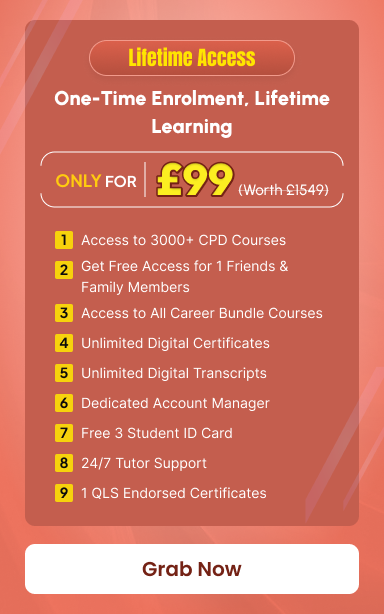



Exclusive Deal! 95% Off, Today Only!



This course includes:
-
 Skill Level
-
 Duration
1 hour, 29 minutes
Duration
1 hour, 29 minutes -
 Students
7 Students
Students
7 Students