


Dive into the fascinating world of spatial data visualization with our comprehensive course, “Introduction to Maps in R Shiny and Leaflet.” This course is meticulously designed to guide you through the essentials of creating interactive maps using the powerful combination of R Shiny and Leaflet. From setting up your development environment to crafting dynamic maps that visualize earthquake data, this course covers it all. You’ll learn to transform raw data into insightful visual representations, making complex information easily understandable and engaging. Whether you’re a data enthusiast, a researcher, or someone looking to expand your data visualization skills, “Introduction to Maps in R Shiny and Leaflet” offers the perfect blend of theory and application to get you started. Join us on this educational journey and unlock the potential of mapping with R Shiny and Leaflet!
Learning Outcomes
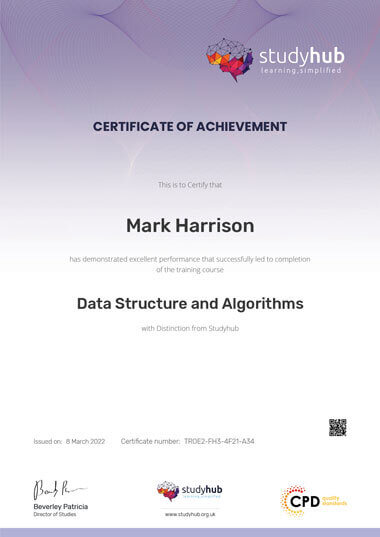
After studying the course materials of the Introduction to Maps in R Shiny and Leaflet there will be a written assignment test which you can take either during or at the end of the course. After successfully passing the test you will be able to claim the pdf certificate for £4.99. Original Hard Copy certificates need to be ordered at an additional cost of £8.

This Introduction to Maps in R Shiny and Leaflet does not require you to have any prior qualifications or experience. You can just enrol and start learning. This Introduction to Maps in R Shiny and Leaflet was made by professionals and it is compatible with all PC’s, Mac’s, tablets and smartphones. You will be able to access the course from anywhere at any time as long as you have a good enough internet connection.
| Section 01: Introduction | |||
| Introduction | 00:09:00 | ||
| Section 02: Installation And Setup | |||
| Installation and Setup | 00:12:00 | ||
| Section 03: Creating The Earthquake OSM Map | |||
| Creating your first map | 00:08:00 | ||
| Creating a menu item | 00:10:00 | ||
| Adding markers | 00:06:00 | ||
| Adding circle markers | 00:08:00 | ||
| Creating a legend | 00:07:00 | ||
| Adding a layers control | 00:13:00 | ||
| Section 04: Creating The Earthquake Dark Map | |||
| Adding the second menu item | 00:06:00 | ||
| Adding circle markers | 00:05:00 | ||
| Adding a legend | 00:03:00 | ||
| Change map based on zoom level | 00:04:00 | ||
| Section 05: Creating The Heatmap | |||
| Adding the third menu item | 00:06:00 | ||
| Adding the heatmap data | 00:04:00 | ||
| Section 06: Creating The Choropleth Map | |||
| Adding the fourth menu item | 00:04:00 | ||
| Downloading and transforming data | 00:11:00 | ||
| Preparing data for styling | 00:07:00 | ||
| Creating and styling the choropleth map | 00:11:00 | ||
| Creating the legend | 00:07:00 | ||
| Section 07: Project Source Code | |||
In a world powered by information, understanding gdpr meaning is no longer optional—it is essential. As organisations across Britain process …

1
Step into the complex and fast-evolving world of GDPR Compliance, where data privacy meets the law of the digital age. …
0
Overview A powerful online presence can turn an ordinary accounting business into a trusted, client-attracting brand — and this course …

35
$557.70 Original price was: $557.70.$26Current price is: $26. ex Vat
Level: Intermediate
Duration: 2 hours, 21 minutes
Students: 0